
Copilot Money Review 2026
The paid finance app to buy on iPhone or Mac when you want transactions filed for you, and the one to skip when you need Android, a tax export, or a free plan.
Buy Copilot Money if you are on iPhone or Mac and will pay $95 a year ($13 a month) for a calm spending dashboard. Buy Monarch Money at $99.99 a year if you need Android. Buy YNAB at $109 a year if you will assign every dollar. Buy Rocket Money free if the job is cutting subscriptions.
Origin is the AI planner at $1 for the first year, then $99 a year. Empower's dashboard is free if you only want net worth. This is general information, not advice for your accounts. Prices were verified on each vendor's site in September 2026.
Key facts
- A paid Apple-and-web finance app whose AI files transactions and answers questions about your own data.
- Founded: 2019
- Platforms: iPhone, iPad, Mac, Web
- Free plan: No, 1-month trial
- Alternatives covered: Monarch Money, YNAB, Origin, Rocket Money, Empower Personal Dashboard
Pros
- One annual price covers categorization, rollover budgets, investments, and a beta assistant on your own accounts.
- Direct sign-in for Apple Card, Coinbase, Capital One, and Public, with Plaid and Mastercard Data Connect behind the other 10,000+ US links.
- No ads and no sale of financial data, which is the reason the subscription exists.
Cons
- No Android app, and the web version still does not match every iPhone and Mac action.
- Money Assistant is in beta, and the product does not file taxes or show a credit score.
- An App Store subscription keeps billing after you delete the account, unless you cancel it with Apple.
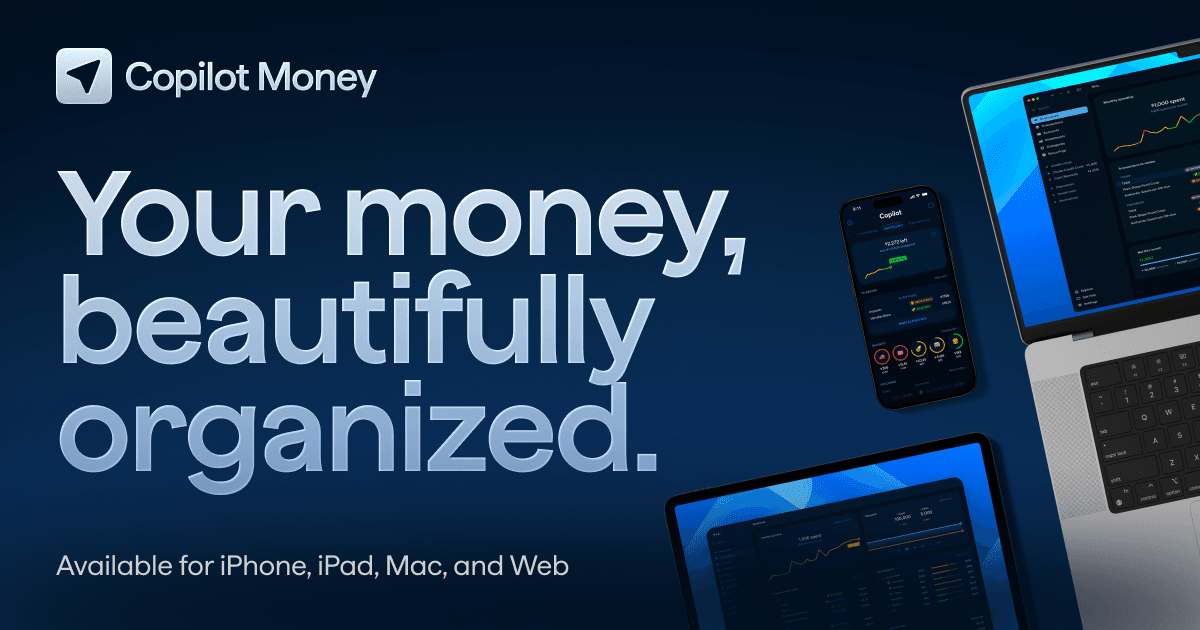
Copilot Money is the finance app for people who want the software to file the transactions, then get out of the way. The annual plan is the bill to accept, and the monthly rate is what you pay if you already know you will quit.
A chatbot can discuss a budget, but it cannot see the card swipe, so it will not file a charge that already left the account.
ChatGPT, Claude, Gemini, and Perplexity are the wrong shape of tool when the job is linked accounts.
The wider assistant category is in our AI chatbot guide.
Toolradar data: the September 2026 personal finance ranking evaluated 59 tools. Copilot Money is in that set, beside the budget apps people open after leaving Mint.
Mint's own site now says the product has been reimagined on Credit Karma.
How we compared: prices, trials, and the AI claims below were checked on each company's site in September 2026. No vendor paid for a place here.
The same buyer question is also answered in the Toolradar AI personal finance guide, Dupple's learn piece, and Finpresso's budgeting apps review.
What is Copilot Money?
Copilot Money is a personal finance app from Copilot Money, Inc., founded in 2019 by Andrés Ugarte. It is not Microsoft Copilot or GitHub Copilot, and those products do not share a login, a price, or a job. The company says so on its own site, so a Microsoft plan will not open this dashboard.
You connect US accounts and see spending, budgets, subscriptions, cash flow, investments, and net worth together. Copilot Intelligence tags each transaction from your past spending, and it gets sharper the longer you correct it, so the early corrections are what you are paying for.
Money Assistant, still marked beta, answers questions about that same data, such as what restaurants cost last month, and it only knows the accounts you have linked.
The FAQ is blunt about the edges: it is not a bank, not a tax filer, not a credit-score service, and not a financial advisor. It is also not a business ledger, so if the money belongs to a company, start with AI tools for business and treat this app as the household view only.
Platforms on the site are iPhone, iPad, Mac, and the web, which rules the app out for Android. Connections cover 10,000+ US institutions, including Venmo, Apple Card, and Coinbase, with a caveat on Venmo below. The company publishes an Apple Editor's Choice mention, a 2024 Apple Design Awards finalist nod, and a Webby.
How Copilot Money works
You can open the product before a single bank login, and the homepage calls that a test drive. The paid trial, one month for new users, starts when you decide to keep it. That split matters: looking is not the same as the clock on the trial.
When you do connect, Copilot says it does not store the bank password, and the security page names Plaid and Mastercard Data Connect as the aggregators. Direct sign-in, the kind that skips the aggregator, is listed for Capital One, Coinbase, Apple Card through FinanceKit, and Public, so the password path is not the same on every logo.
Venmo is the connection people misread: the FAQ groups it with Apple Card and Coinbase, while the security page says Venmo runs through Copilot Labs as forwarded email, and you can stop forwarding, which drops that line.
Amazon, also under Labs, opens on your device so the password is not handed over, which means Copilot does not receive it. Read the connection type before you treat every logo as a bank link.
Day to day you watch a spending line: pending refunds, bills about to hit, and category budgets that can roll a leftover forward, which is how a quiet month funds a later purchase. Recurring charges are pulled out so a forgotten membership does not hide inside shopping.
Investments can refresh through the day and sit next to an index, a home can be added from a Zillow link, and one purchase can be split across categories, while alerts cover overdraft fees, unusual spend, and paydays.
The web app has been available since December 2025. The help center says it carries most of the iPhone and Mac actions, with a few still unfinished, so a browser-only household should expect a gap, and one subscription covers every platform on the list.
Money Assistant is the chat layer, and it is limited to your own records, so it will not give you a generic plan for someone else's life. If you want a better question for that chat, the craft is the same as any model prompt, covered in how to write AI prompts.
The model subscription is a separate purchase: ChatGPT pricing and Claude pricing are not this bill.
Leaving has a trap if you subscribed in the App Store. Delete a Stripe subscription and the security page says the plan cancels with the account, but delete an Apple subscription and the charge keeps going until you cancel it in Apple's subscription list. A deleted login can still bill you the next month.
Download your transactions from Settings before you go, because the export is the history you keep. Encryption at rest is 256-bit, with TLS in transit. The ISO and SOC lines on that page belong to Google Cloud, and Copilot says it is not certified itself, so read those badges as the host's certification.
Copilot Money key features
Copilot Money pricing
Copilot publishes two prices on its homepage, verified September 2026. There is one product, not a ladder of tiers, and new users get one month free, so the choice is how long you stay.
Twelve payments at the monthly rate come to $156, which is $61 more than paying for the year up front. If you last the year, the monthly rate is the expensive way to buy the same app, and if you might quit in month two, it is the smaller mistake.
Monarch sells Core and Plus, and annual Core is shown as $8.33 a month, the monthly Core switch is $14.99, and Plus is $199.99 a year, shown as $16.67 a month, and the pricing page does not offer Plus month to month.
Both trials last 7 days and require a payment method, a shorter window than Copilot's trial.
A year of monthly Core payments is $179.88, which is $79.89 more than annual Core, and that is what the monthly switch costs.
Plus, from Monarch's April 20, 2026 post, adds a retirement forecast, business income and expenses, profit-and-loss reports, a tax-prep export, deeper investment analysis, and a will from Trust & Will, not from Monarch.
The fine print says a tax professional should review that export, and business tracking covers sole proprietors, single-member LLCs, freelancers, and rentals, but it does not include invoicing or payroll.
A homepage code, WELCOME, takes 30% off the first year for new users on annual Core billed by Monarch. The code can expire, and it does not apply to Plus.
YNAB shows $9.08 a month on the annual plan, or the same monthly rate as Monarch Core, plus tax where it applies. A year of that monthly rate is $70.88 above the annual plan, the premium for leaving early.
The site trial is 34 days and does not ask for a card, though app stores may, and one subscription covers up to six people, so a household does not buy a second seat. Students can get 365 days with proof of enrollment.
Direct import covers select US, Canadian, UK, and EU banks. Everyone else uses a file import, and one plan holds one currency, which leaves a multi-currency household out.
Origin shows a limited-time first year at the promo price, with the regular annual price struck through on the homepage. The company's article says the promo year renews at the regular annual price, so the renewal is the bill you actually keep. Partners see the household without merging accounts, and that access is included.
Planner sessions are at cost, and that fee is not listed beside the annual price, so the sticker is not a quote for a human. Links run through Plaid, MX, and Mastercard, iOS and Android have home-screen widgets, and CSV import is supported if a bank will not connect.
Rocket Money, in its January 19, 2026 pricing article, keeps a free plan, a Premium range you choose, and Premium+ at a fixed monthly price.
Premium includes a 7-day trial, and bill negotiation is open to everyone. The fee is 35% to 60% of the first year's savings, and Premium+ drops it, which is the reason to take that plan.
Cancellation help is a Premium feature, and the article says the team usually takes 2 to 10 days. Free category budgets stop at 3, too few for a full household budget. The article cites over 10 million members and Plaid, which it credits with over 12,000 bank partners, and Rowan, the text assistant, is the Premium+ exclusive.
Empower's Personal Dashboard is free for accounts, live investments, and net worth. That suits someone who will not pay to categorize. The terms say wealth management from Empower Advisory Group is a separate fee you opt into, and there is no subscription on that dashboard page.
| Plan | Price | Best for |
|---|---|---|
| Copilot Money yearly | $95/year | Shown as $7.92/mo; 1-month trial |
| Copilot Money monthly | $13/mo | Same product, higher rate |
| Monarch Core yearly | $99.99/year | Shown as $8.33/mo; 7-day trial |
| Monarch Core monthly | $14.99/mo | Card required before the trial |
| Monarch Plus | $199.99/year | Shown as $16.67/mo; forecast and business |
| YNAB annual | $109/year | Shown as $9.08/mo; 34-day trial, no card on the site |
| YNAB monthly | $14.99/mo | Plus tax where it applies; up to six people |
| Origin first year | $1 for year one | Limited time on the homepage; then $99/year |
| Origin after year one | $99/year | AI advisor, partner view, CFP sessions at cost |
| Rocket Money free | Free | Up to 3 category budgets; bill negotiation still takes a cut |
| Rocket Money Premium | $7 to $14/mo | You choose the rate; 7-day trial |
| Rocket Money Premium+ | $15/mo | Rowan assistant; negotiation fee removed |
| Empower Personal Dashboard | Free | Net worth and investments; advice is a separate fee |
Copilot Money pros and cons
What we like
- One annual price covers categorization, rollover budgets, investments, and a beta assistant on your own accounts.
- Direct sign-in for Apple Card, Coinbase, Capital One, and Public, with Plaid and Mastercard Data Connect behind the other 10,000+ US links.
- No ads and no sale of financial data, which is the reason the subscription exists.
What could be better
- No Android app, and the web version still does not match every iPhone and Mac action.
- Money Assistant is in beta, and the product does not file taxes or show a credit score.
- An App Store subscription keeps billing after you delete the account, unless you cancel it with Apple.
Who Copilot Money is for
Buy Copilot if your phone is an iPhone, your institutions are in the US, and you will actually open a spending view most weeks. The fit is a household that wants categorization done, with investments on the same screen, and does not need a tax file.
Skip it when anyone in the house is on Android, because Monarch, YNAB, Origin, and Rocket Money all publish an Android app and this one does not. Skip it when the job is a Schedule C, a credit report, or a bill you want a human to renegotiate, since those sit on Monarch Plus, Rocket Money, and, for the credit report, Rocket Premium.
Skip it when you will not pay after the trial. Empower is the free net-worth screen, and Rocket's free plan is the free subscription list, so a household that refuses a subscription already has a place to land.
YNAB is the better paid bet if the point of the app is to change how you assign money, not to admire a chart. Origin is the better paid bet if you want an advisor-shaped chat and a partner login in the same product.
The AIpresso brief is where later price changes land. Subscribe free if you want the next plan change in the inbox rather than a second research pass.
Best Copilot Money alternatives
If Copilot Money is not the right fit, these are the closest options.
| Tool | Best for | Starts at | |
|---|---|---|---|
| Copilot Money | iPhone and Mac users who want spending, budgets, and investments in one paid app. | From $95/year or $13/mo | Visit → |
| Monarch Money | People on Android or the web who want a budget now and a forecast later. | From $99.99/year (Core) | Visit → |
| YNAB | People who will assign every dollar and share one plan with up to six people. | From $109/year | Visit → |
| Origin | New members who want an AI advisor, a partner view, and a phone on either platform. | From $1 for the first year, then $99/year | Visit → |
| Rocket Money | People whose first job is finding subscriptions and getting a bill lowered. | Premium typically $7 to $14/mo | Visit → |
| Empower Personal Dashboard | Investors who want a free net worth view and will skip a paid budget. | Free dashboard | Visit → |
The bottom line
Copilot Money is the right paid app when the phone is an iPhone, the accounts are American, and you want the filing done for you. Pay yearly if you will still open it in month six. Pay monthly only as a short test, because the higher rate is the price of an exit you already expect.
The assistant is a beta on top of categorization, not a reason to ignore the missing Android app, the missing tax file, and the Apple billing trap. If you need Android, a tax file, or a cancellation you make in Apple's list, this subscription will not meet it.
Choose Monarch Money when Android or a Plus forecast is the requirement. Choose YNAB when the method is the product and six people should share one plan. Choose Origin when the chat should sound like an advisor and a partner needs a login.
Choose Rocket Money when a subscription or a bill is the whole task. Choose Empower when net worth is enough and the fee should be zero.
Asking a general model what to do with money, without linking the accounts, is a different product. Start with AI search engines if the question is a fact, and with the chatbot reviews above if the question is a draft. Later price changes land in the AIpresso brief: subscribe free.
Cite this: AIpresso, "Copilot Money Review 2026", September 2026.
Frequently asked questions
Sources
Prices and plan details come from each vendor's own pricing page, re-checked by the Toolradar pricing tracker.
- Monarch Money pricing, checked Sep 2026
- YNAB pricing
- Rocket Money pricing, checked Sep 2026
Get the AIpresso brief
Free daily newsletter, read in 5 minutes.
Subscribe free