
Captions AI Review
What each Captions plan buys in credits, what a generated video or an AI Edit costs out of that allowance, and how it compares with OpusClip, Submagic, Descript and HeyGen.

Captions AI is worth it in 2026 if you edit talking-head footage on your phone and buy Max, the $24.99-a-month plan with 500 AI credits. The Frontier tiers cost $69.99, $139.99 and $279.99 a month for 1,400, 2,800 and 5,600 credits. Those are the monthly iOS prices Captions prints; a yearly plan exists at a discount the pricing page does not show.
The catch is the credit meter. Every paid tier works out to about 5 cents per credit, so upgrading buys volume, not a discount, and a 30-second prompt-to-video clip burns 80 credits, about $4 of allowance. Pick OpusClip to clip long recordings, Submagic for captions on shorts you already cut, Descript to edit full episodes, and HeyGen for avatar videos.
Key factsBest for: Creators who film talking-head videos on a phone and want…
- The most complete phone-first AI editor, as long as you budget the credits before you generate footage.
- Free plan: Yes, with 60 to 200 one-time credits
- Plan to buy: Max, the first tier with AI Edit and Clips
- Rollover: Up to 3 times the monthly allowance
- Alternatives covered: OpusClip, Submagic, Descript, HeyGen
Pros
- AI Edit cuts, adds B-roll, music and captions in one run for 10 to 40 credits.
- Max includes up to 30 AI Twins, the chat-based editor and Clips on one plan.
- Unused credits roll over, up to 3 times the monthly allowance, on Basic and above.
Cons
- Every paid tier costs about 5 cents a credit, so Frontier adds volume but no volume discount.
- Credits are spent on unexported projects, and Max cannot buy top-ups when it runs dry.
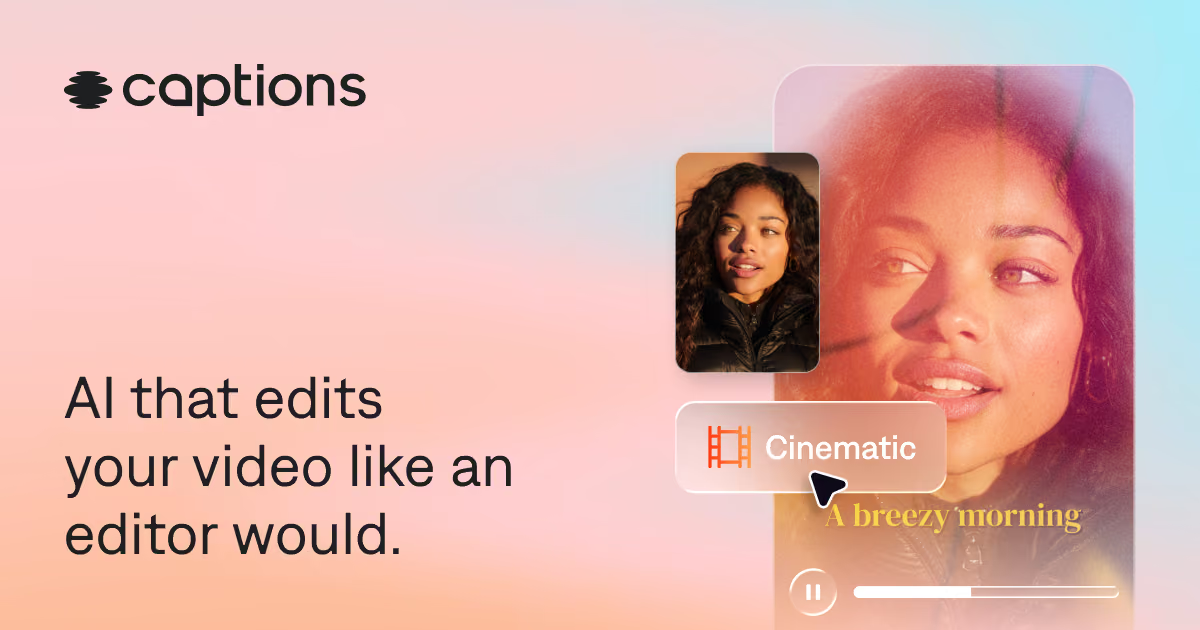
Captions is the editor to buy when you film yourself, talk to the camera and want the cut, captions, B-roll and music done in one pass on a phone. Max is the plan that makes sense for most creators, because the cheaper Basic tier leaves out AI Edit, Clips and the chat-based editor, which are the features people download the app for.
The real question is not which plan has which feature but how fast your editing habits drain the Max allowance, and that depends far more on which AI models you call than on how many videos you post.
This review prices every tier, converts the credit costs Captions publishes into dollars, and sets the result next to OpusClip, Submagic, Descript and HeyGen.
For the wider field, see our best AI video editors guide and the best AI tools for video creators roundup.
Toolradar data: among the 17 subtitles and captions tools on Toolradar as of October 2026, Captions is listed as an alternative to 4 other tools, twice the category median of 2, and 16 of the 17 tools offer a free plan, so a free tier is table stakes here rather than a selling point.
What is Captions?
Captions is an AI video editor and generator for iOS, Android and the web, made by Mirage, a New York company. It started as an automatic captioning app and now sells itself as an editor that cuts footage the way a professional would.
The homepage claims 20 million current users, captions in more than 100 languages and over 100 caption styles; those are the vendor's figures.
The product has two halves. The editing half takes footage you recorded: AI Edit applies a chosen style that cuts scenes, overlays B-roll and adds music, Clips turns a long video into a batch of shorts, and the chat-based editor lets you request changes in plain language.
Eye contact correction, denoise, filler and pause removal, translation and Lipdub sit alongside. The generating half makes footage you never shot: AI Twins and AI actors, prompt to video, and B-roll from third-party models such as Veo 3.1, Kling, Sora 2 and Seedance 2.0.
Every generative action draws from one monthly pool of credits, which is why the pricing page reads like a credit menu.
How Captions works
You record in the in-app camera with its teleprompter or import a file, then either pick an AI Edit style or open the timeline and edit by hand. AI Edit costs 10 to 40 credits per run depending on length and model, and switching the clip style afterwards costs 1 credit.
The chat-based editor charges 2 credits per message plus 1 per action it takes, and any image, video or music it generates adds that model's own cost.
Generation is where the meter moves fast. Prompt to video costs 16 credits for every 6 seconds, a 4-second Veo 3.1 clip costs 64 credits, Kling 2.1 costs 140 credits per clip, and cheaper models such as Hailuo 2.3 Fast and Ray 2 Flash cost 8.
Images run 1 to 6 credits. Credits are spent even when you never export the project, according to the vendor's credits help article, so a long session of trial prompts costs the same as a finished video.
Unused credits roll over on Basic and above, capped at 3 times the monthly allowance. Two rules hurt: downgrading cuts your balance to the new plan's cap and forfeits the excess, and cancelling forfeits everything at the end of the billing period.
You cannot buy individual credits on Max; top-ups are limited to Frontier 4x and legacy Teams and Business accounts, so running dry mid-month means upgrading.
Captions key features
Captions pricing
Captions prints four paid prices on its pricing page, checked October 2026, and labels them as monthly iOS plans in USD. Max gets 500 credits a month, Frontier 1,400, Frontier 2x 2,800 and Frontier 4x 5,600; Enterprise is a custom quote with bulk credit discounts and training data exclusion.
The vendor's subscriptions article adds two tiers the pricing page leaves out: Basic, formerly Pro, at $9.99 a month for 200 credits, and an Android-only Lite plan at $4.99 a month for manual editing. Free users get 60 to 200 lifetime credits that never refresh.
The per-credit price is flat across every paid tier. Divide each printed price by its credits and Basic, Max and all three Frontier tiers land at about 5 cents a credit. Frontier does not buy cheaper usage; it buys more of it plus the top model tier and faster generation.
The same help article says yearly plans are billed upfront at a discount over twelve monthly payments, but Captions does not print the yearly rate, so every figure on this page is monthly billing and compared with other vendors' monthly prices.
Three workloads show where each tier breaks, using the credit costs in the help center. A creator who runs one AI Edit a day at the top of the 10 to 40 credit range uses about 1,200 credits a month and needs Frontier; at the bottom of the range, the same habit fits in Max.
A brand making 30-second prompt-to-video ads spends 80 credits each, so Max covers 6 a month and Frontier 17. Someone who only needs captions and eye contact fixes on their own footage can stay on Basic, since those tools draw few or no generative credits.
On monthly billing against the field, Max costs less per month than OpusClip Pro, Submagic Pro and HeyGen Creator, and about the same as Descript Hobbyist; the table below has each rate. Each meters something different: OpusClip counts upload minutes, Submagic counts videos, Descript counts media hours plus AI credits, and HeyGen counts generation credits.
All four were read on the vendors' pricing pages in October 2026: OpusClip, Submagic, Descript and HeyGen.
| Plan | Price | Best for |
|---|---|---|
| Captions Free | $0 | Basic editing, one caption template, 60 to 200 credits that never refresh |
| Captions Basic | $9.99/mo | 200 credits, 100+ caption templates, eye contact, denoise, AI voiceover |
| Captions Max | $24.99/mo | 500 credits, AI Edit, Clips, chat-based editor, up to 30 AI Twins |
| Captions Frontier | $69.99/mo | 1,400 credits, top tier of generative models, faster generation |
| Captions Frontier 2x | $139.99/mo | 2,800 credits, same features as Frontier |
| Captions Frontier 4x | $279.99/mo | 5,600 credits, eligible for top-up credits |
| Captions Enterprise | Custom | Bulk credit discounts, custom seats, training data exclusion, account team |
| OpusClip Starter | $15/mo, monthly only | 150 upload minutes, virality score, 1 brand template |
| OpusClip Pro | $29/mo monthly, $14.50/mo yearly | 300 minutes, 2-month rollover, 2 seats, scheduler, AI B-roll |
| Submagic Starter | $19/mo monthly, $12/mo yearly | 45 credits, about 15 videos of up to 2 minutes, 1080p |
| Submagic Pro | $39/mo monthly, $23/mo yearly | 120 credits, about 40 videos of up to 5 minutes, Storyblocks B-roll |
| Descript Hobbyist | $24/mo monthly, $16/mo yearly | 10 media hours, 400 AI credits, 1080p without watermark |
| Descript Creator | $35/mo monthly, $24/mo yearly | 30 media hours, 800 AI credits, 4K export |
| HeyGen Creator | $29/mo monthly, $24/mo yearly | 600 credits, videos up to 30 minutes, voice cloning |
| HeyGen Pro | From $49/mo monthly | 1,000 credits, 4K export, all advanced models |
Captions pros and cons
What we like
- AI Edit cuts, adds B-roll, music and captions in one run for 10 to 40 credits.
- Max includes up to 30 AI Twins, the chat-based editor and Clips on one plan.
- Unused credits roll over, up to 3 times the monthly allowance, on Basic and above.
What could be better
- Every paid tier costs about 5 cents a credit, so Frontier adds volume but no volume discount.
- Credits are spent on unexported projects, and Max cannot buy top-ups when it runs dry.
Who Captions is for
Buy Captions Max if you are a solo creator, coach, real estate agent or small brand who films short talking-head videos on a phone and wants them finished without learning a timeline. It is the strongest phone-first editor at its price, because AI Edit, captions, eye contact correction and AI Twins come in one app and one bill.
Move to Frontier only after you have run out of Max credits two months in a row, since rollover already lets a quiet month fund a busy one.
Skip it in four cases. If your source is hour-long podcasts, our OpusClip review covers a clipper priced per upload minute with a scheduler. If you only need styled captions, the best AI subtitle generators guide lists cheaper options.
If you edit long episodes on a desktop, see the Descript review.
If you want presenter videos without filming at all, the HeyGen review and our best AI avatar generators list go deeper; for dubbed or lip-synced versions, compare the best AI lip sync tools and best AI dubbing tools.
Best Captions alternatives
If Captions is not the right fit, these are the closest options.
| Tool | Best for | Starts at | |
|---|---|---|---|
| Captions | Creators who film talking-head videos on a phone and want AI to cut, caption and polish them. | From $24.99/mo (Max, 500 credits, monthly iOS price) | Visit → |
| OpusClip | Podcasters and webinar hosts turning hour-long recordings into a stream of shorts. | Pro $29/mo monthly or $14.50/mo billed yearly (300 minutes) | Visit → |
| Submagic | Editors who already cut their shorts and want animated captions, zooms and B-roll fast. | Starter $19/mo monthly or $12/mo billed yearly (45 credits, about 15 v | Visit → |
| Descript | Podcasters and YouTubers who edit full episodes on a desktop by editing the transcript. | Hobbyist $24/mo monthly or $16/mo billed yearly (10 media hours, 400 A | Visit → |
| HeyGen | Marketers and trainers who want presenter videos from a script without filming. | Creator $29/mo monthly (600 credits), less billed yearly | Visit → |


The bottom line
Captions earns its subscription when you film yourself and want the editing done for you on a phone. Max is the plan to buy: it is the cheapest tier with AI Edit, Clips, AI Twins and the chat editor, and rollover smooths an uneven month.
Before upgrading to Frontier, look at what is draining your credits; generated B-roll from expensive models is usually the cause, and switching to a cheaper model saves more than a bigger plan.
Choose OpusClip to clip hour-long recordings, Submagic for captions on shorts you already cut, Descript to edit full episodes on a desktop, and HeyGen for presenter videos you never film.
Our HeyGen pricing breakdown explains that vendor's credit tiers in more detail.
Methodology: we read the Captions pricing page, its subscriptions and credits help articles, and the pricing pages of OpusClip, Submagic, Descript and HeyGen in October 2026, then converted the published credit costs into the dollar scenarios above.
We run no test lab, so there are no hands-on timings or output ratings here; the comparison figures come from the Toolradar directory we operate. Cite this: AIpresso, "Captions AI Review 2026", October 2026.
Frequently asked questions
Is Captions AI worth it in 2026?
How much does Captions AI cost?
How many videos do 500 Captions credits make?
Is there a free version of Captions?
Do Captions credits roll over?
What are the best Captions AI alternatives?
Sources
Prices and plan details come from each vendor's own pricing page, re-checked by the Toolradar pricing tracker.
- HeyGen pricingchecked Sep 2026
Some offers on this page may be paid placements or contain affiliate links.
Get the AIpresso brief
Free daily newsletter, read in 5 minutes.
Subscribe free