
Descript Review
What each Descript plan costs per media hour, what the AI credits cover, and when Riverside, Kapwing, VEED or OpusClip is the cheaper buy.

Descript is worth it in 2026 if you edit talking video or podcasts by editing the transcript, and the plan to buy is usually Creator. Hobbyist is $16 a month billed yearly, more month to month, for 10 media hours and 400 AI credits. Creator is $24 a month yearly for 30 media hours, 800 credits and 4K export, which works out to 80 cents per media hour. Business is $50 a month yearly per person, with 40 hours and 1,500 credits.
The catch is two meters: media hours cap what you can import or record, and AI credits cap Underlord, Studio Sound, Eye Contact and generated media. Prices were read on Descript's pricing page on 18 October 2026. Riverside is the better recorder, OpusClip the cheaper clip machine, and Kapwing or VEED the simpler browser editors.
Key factsBest for: Podcasters and video creators who edit talking content from…
- A transcript-first editor where media hours, not features, decide which plan you need.
- Free plan: Yes, 60 media minutes a month
- AI credits: 400 to 1,500 a month on paid plans
- Seats: Up to 5 on Business
- Alternatives covered: Riverside, Kapwing, VEED, OpusClip
Pros
- Creator's 30 media hours cost 80 cents an hour on annual billing, the lowest rate across Descript's plans.
- Underlord removes filler words, retakes and gaps across a whole file, and drafts clips and show notes.
- Rooms records up to 10 participants with cloud backups, so recording and editing stay in one tool.
Cons
- Hobbyist lists no top-ups, so a month over 10 media hours means an upgrade.
- 4K export starts on Creator, and translation proofreading and custom avatars wait for Business.
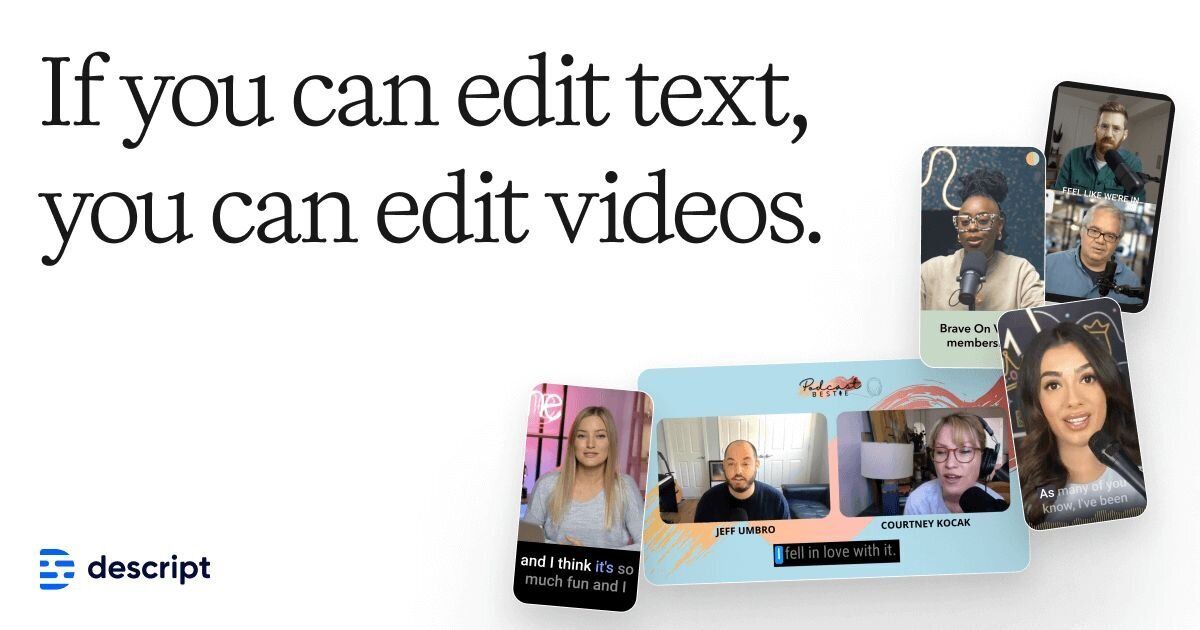
Descript is the editor to buy when the words carry the video: interviews, podcasts, tutorials and webinar recordings, where cutting a sentence from the transcript cuts it from the timeline.
The plan decision is a media-hours decision, because every paid tier unlocks most AI tools and the real difference is how many hours and credits arrive each month.
This review prices every Descript plan, works out the cost per media hour, and sets it next to Riverside, Kapwing, VEED and OpusClip.
The wider shelf is our best AI video editors ranking, and creators building a full stack should read AI tools for video creators.
A sister review on Techpresso, the Descript review for timeline editors, compares it with Premiere Pro and Final Cut Pro instead.
Toolradar data: Descript is listed as an alternative to 107 other tools on Toolradar, the most of any tool among the 68 in its audio editing category, and it is also the most-listed alternative in transcription and in video editing as of October 2026.
Visitors most often compare it with Adobe Premiere Pro and Adobe Audition. The record is Descript on Toolradar, and the category ranking is best audio editing tools.
How we compared: prices and limits come from each vendor's own pricing page, read on 18 October 2026. Dupple runs no test lab, so this review rests on what those pages publish.
What is Descript?
Descript is a video and podcast editor that transcribes your recording and lets you edit the media by editing the text. It transcribes 25 languages, labels 8 or more speakers, handles multitrack recordings, and adds dynamic captions on every plan, including Free.
Around the editor sits Underlord, Descript's AI co-editor, which can cut filler words, remove retakes, shorten gaps, add chapters, pick multicam layouts and draft clips, show notes and social posts.
Rooms handles remote recording with up to 10 participants, and a screen recorder captures demos, so a solo creator can record, edit and publish without a second tool.
Two allowances run the account. Media hours count every file you import or record, whether you transcribe it or not, and AI credits count Underlord, Studio Sound, Green Screen, Eye Contact, generated media and avatars. Top-ups for both are listed on Creator and Business, not on Hobbyist.
Beyond the edit itself, Descript sells the pieces a localization or voice workflow needs: AI speech with custom voice clones on paid plans, caption translation into 61 languages, dubbing into 30 languages, and an avatar gallery.
Translation proofreading and custom avatars from a photo upload belong to Business, which makes it the plan for a team localizing a library.
How Descript works
You record in Rooms or with the screen recorder, or upload a file, and Descript turns it into a transcript. Deleting a word deletes that moment from the video, and Underlord can run the obvious cuts across the whole file in one pass.
You then add layouts, captions and B-roll from the stock library, and export a file or publish a web page with an embedded player.
Day to day, the limits that bite are hours and credits rather than features. A weekly show with long raw recordings and several takes can pass Hobbyist's allowance quickly, while Creator triples it. Count your raw footage per month, not your finished runtime, before you pick.
Recording time is a third allowance. Rooms includes 2 hours of session time on Free, 5 hours a month on Hobbyist, 15 on Creator and 25 on Business, counted per drive. Control Room producers, who can start and stop a recording, number 3 on Hobbyist and Creator and 10 on Business.
Exports scale with the plan: 720p on Free, 1080p on Hobbyist, and 4K on Creator and Business, with a web-link duration of 1 hour on the two lower plans and 3 hours above. Timeline exports go to Premiere, Final Cut Pro, Pro Tools, Logic, Audition, Reaper and Samplitude, so a team can rough-cut in Descript and finish elsewhere.
Descript key features
Descript pricing
Descript publishes four self-serve plans on its pricing page, read on 18 October 2026, plus a quote-only Enterprise tier. Paid prices are per person per month. Yearly billing saves $96 a year on Hobbyist: $192 against $288 when paid month to month.
Creator costs $288 a year on annual billing and $420 monthly, and Business $600 or $780 per person.
The cost per media hour reverses the sticker order. On annual billing, Hobbyist is $1.60 an hour, Creator 80 cents and Business $1.25, so Creator is the cheapest hour on the page and Hobbyist only wins for someone who truly stays under 10 hours.
Business pays for collaboration (up to 5 seats, Brand Studio, priority support with an SLA, custom avatars and translation proofreading), not for cheaper media.
A three-person team on Creator, billed yearly, pays $864 a year. Five people on Business pay $3,000 a year. Descript bills seats separately, so the per-person rate is the right number to multiply. Its pricing page does not list a top-up price for extra hours or credits, so check the rate in the app before a heavy month. Students, educators and nonprofits can apply for special rates through a form.
Riverside Pro is billed $288 a year, with a higher rate month to month, and leads on recording: up to 4K video, 48 kHz audio, a teleprompter and 15 hours of separate track downloads. Its free plan records up to 720p with a Riverside watermark and 2 hours of multitrack recording.
Kapwing Pro, priced in the table above on annual billing, includes 1,000 credits a month, 4K export, exports up to 2 hours and 200 GB of storage. Business is $50 a month on annual billing with 4,000 credits, voice clones and lip sync. Its free plan exports up to 4 minutes at 720p with a watermark.
VEED Creator is $10 per user a month billed annually (read 19 October 2026), with no watermark and 120 hours of subtitles a year. Pro is $20 per user a month billed annually and adds unlimited auto subtitles, 4K export and translation into 50+ languages; above it sits a quote-only Enterprise plan.
OpusClip Starter is $15 a month, monthly only, for 150 credits. Pro is $174 billed annually, with 300 credits that roll over for 2 months and a 2-seat workspace. Its free plan gives 60 credits a month with a watermark.
| Plan | Price | Best for |
|---|---|---|
| Descript Free | Free | 60 media minutes a month, 100 AI credits once, 720p export, 5 GB storage |
| Descript Hobbyist | $16/mo yearly, $24 monthly | 1 person, 10 media hours, 400 AI credits, 1080p, voice clones |
| Descript Creator | $24/mo yearly, $35 monthly | Up to 3 people, 30 media hours, 800 AI credits, 4K, top-ups |
| Descript Business | $50/mo yearly, $65 monthly | Up to 5 people, 40 media hours, 1,500 AI credits, Brand Studio, SLA support |
| Descript Enterprise | Contact sales | Custom hours and credits, SSO and SCIM, audit logs, dedicated CSM |
| Riverside Pro | $24/mo yearly, $29 monthly | 4K recording, 48 kHz audio, 15 hours of separate track downloads |
| Kapwing Pro | $16/mo, annual billing | 1,000 credits a month, 4K export, 200 GB storage |
| VEED Creator | $10 per user a month, billed annually | No watermark, 120 subtitle hours a year, 6,000 credits |
| OpusClip Pro | $29/mo, $174 billed annually | 300 credits a month with 2-month rollover, 2 seats |
Descript pros and cons
What we like
- Creator's 30 media hours cost 80 cents an hour on annual billing, the lowest rate across Descript's plans.
- Underlord removes filler words, retakes and gaps across a whole file, and drafts clips and show notes.
- Rooms records up to 10 participants with cloud backups, so recording and editing stay in one tool.
What could be better
- Hobbyist lists no top-ups, so a month over 10 media hours means an upgrade.
- 4K export starts on Creator, and translation proofreading and custom avatars wait for Business.
Who Descript is for
Buy Descript Creator if you publish interviews, podcasts or tutorials every week and want to cut them from a transcript. Its 30 media hours cover a steady weekly show with room for retakes, and its 4K export and top-ups remove the two walls that stop Hobbyist users.
Buy Hobbyist only if you are sure you stay under 10 hours a month, because its plan card lists no top-ups.
Buy Business when two to five people share the work and need Brand Studio, translation proofreading or support with an SLA. Skip Descript if you mainly cut short vertical clips from long videos (OpusClip is built for that), if recording quality matters more than editing (Riverside), or if you want a quick browser editor for social posts (Kapwing or VEED).
Subtitles alone are covered in our AI subtitle generators guide.
The AIpresso brief tracks price changes like these. Subscribe free to get the next one in your inbox.
Best Descript alternatives
If Descript is not the right fit, these are the closest options.
| Tool | Best for | Starts at | |
|---|---|---|---|
| Descript | Podcasters and video creators who edit talking content from the transcript every week. | Hobbyist from $192 a year on annual billing | Visit → |
| Riverside | Podcast hosts whose first problem is recording remote guests in high quality. | Pro billed $288 yearly or $29 monthly | Visit → |
| Kapwing | Social teams that want a browser editor with subtitles and dubbing in one workspace. | Pro $16/mo on annual billing with 1,000 credits | Visit → |
| VEED | Marketers who want subtitles, brand kits and AI video generation in a browser. | Creator $10 and Pro $20 per user a month, billed annually (read 19 Oct | Visit → |
| OpusClip | Creators turning long videos into short vertical clips for TikTok, Reels and Shorts. | Starter $15/mo, monthly only | Visit → |


The bottom line
Descript is the right buy when transcript editing is how you work, and Creator is the plan that fits most weekly shows: its media hours cost the least per hour and it is the first plan that can buy more.
Hobbyist suits a light schedule that never passes 10 hours, and Business suits a small team that needs shared branding and support guarantees.
Choose Riverside when recording quality is the first requirement, OpusClip when the job is cutting shorts from long videos, and Kapwing or VEED when a quick browser editor is enough.
For voice work outside video, see our ElevenLabs review and how to clone your voice with AI; for localizing a library, read how to translate a video with AI and the AI dubbing tools guide.
Clean audio on its own is covered in AI noise removal tools, and transcripts alone in AI transcription tools.
Cite this: AIpresso, "Descript Review 2026", October 2026.
Frequently asked questions
Is Descript worth it in 2026?
How much does Descript cost?
What are Descript media hours and AI credits?
Does Descript have a free plan?
Descript vs Riverside: which should I choose?
Sources
Prices and plan details come from each vendor's own pricing page, re-checked by the Toolradar pricing tracker.
- Riverside pricingchecked Sep 2026
Some offers on this page may be paid placements or contain affiliate links.
Get the AIpresso brief
Free daily newsletter, read in 5 minutes.
Subscribe free