
2short.ai Review 2026: YouTube Shorts Clipper Plans Priced
2short.ai's free, Lite, Pro and Premium plans priced per hour of analyzed video, what the caption and import rules mean for your channel, and how OpusClip, Vizard, Klap and Submagic meter the same job.

2short.ai is worth it in 2026 for talking-head YouTubers who need many hours clipped each month on a small budget. Lite costs $9.90 a month for 5 hours of AI video analysis, Pro $19.90 for 15 hours and Premium $49.90 for 50 hours, with a free Starter tier, read on 2short.ai's pricing page on November 10, 2026.
The catch is scope. It only processes videos that have captions, works best on speech, and lists monthly prices only, with no yearly discount. If you need a full editor, B-roll or scheduling, OpusClip or Vizard add those tools but charge more per hour of footage.
Key factsBest for: Speech-heavy YouTube channels that need many hours clipped…
- YouTube-to-Shorts clipper that finds highlights from captions and prices plans by hours of analysis.
- Cheapest hour: Premium works out to about $1.00 per hour of footage, our arithmetic.
- Free tier: Starter is free with 30 minutes of analysis a month and every feature.
- Input rule: Only videos with captions can be processed, per 2short.ai's FAQ.
- Alternatives covered: OpusClip, Vizard, Klap, Submagic
Pros
- Premium works out to about $1.00 per hour of footage, our division.
- Every plan, free included, gets every feature and watermark-free 1080p exports.
- Supports 26 languages, per its FAQ.
Cons
- Only processes videos that have captions, so wordless footage is out.
- Monthly billing only, with no yearly discount listed.
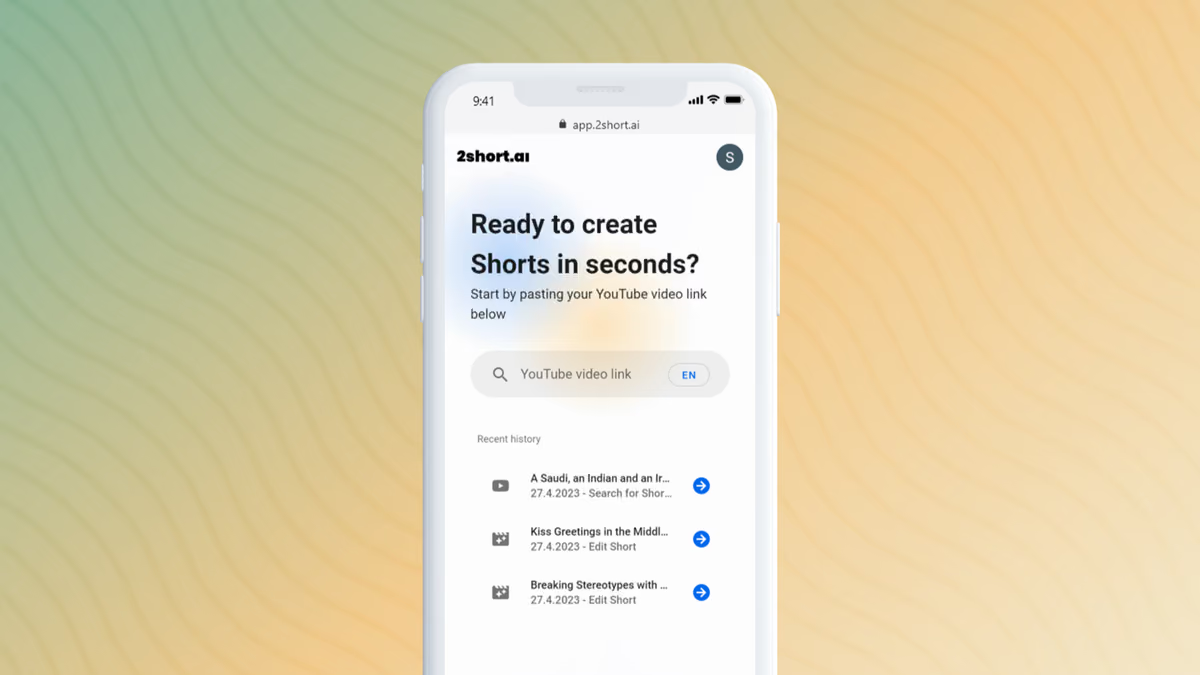
Clipping tools all promise the same thing, a long video in and a stack of vertical shorts out, so the real difference is the meter. 2short.ai meters hours of video its AI analyzes, and it sells those hours cheaply: Pro's 15 hours cost less than OpusClip's 5 on monthly billing. For a channel that publishes long interviews or streams, that gap decides the budget more than any feature.
Toolradar data: Toolradar, the software directory we run, tracks 174 video editing tools as of November 10, 2026, and the median cheapest paid plan among the 65 that publish a price is $15 a month. 2short.ai's Lite plan sits a third below that line, while its rivals' monthly entry plans sit at or above it.
Below: what each plan includes, cost per hour of footage against four rivals, the caption and import rules, and who should pay. Prices were read on vendor pages on November 10, 2026. AIpresso ran no clips through any tool, so clip quality is yours to judge on the free tier.
What is 2short.ai?
2short.ai is a web app that turns long videos, mainly YouTube uploads, into short vertical clips for YouTube Shorts, TikTok and Instagram Reels. You paste a video link, its AI picks the moments it rates most engaging, and it cuts them into clips. Its site footer credits a single developer handle, so expect a lean product rather than a full studio.
The feature set is short and focused: facial tracking that keeps the active speaker centered, one-click animated subtitles, vertical, square and horizontal aspect ratios, manual cropping when tracking misses, and brand presets for logos and overlays. Every plan, the free one included, gets every feature, so you pay only for more analysis time. Exports are 1080p and watermark-free.
Language support is broad for a small tool: the FAQ lists 26 languages, from English, Spanish and German to Japanese, Korean, Turkish and Ukrainian. The privacy policy says user data sits on servers in the European Union, which may matter to EU-based creators and agencies.
How 2short.ai works
2short.ai reads captions, not pictures. Its FAQ says the AI uses spoken words to find highlights and can only process videos that have captions; YouTube auto-generates them for most uploads. That makes it a good fit for podcasts, commentary, tutorials, product reviews and speeches, and a poor one for gameplay, music or B-roll-heavy footage with little talk.
Each plan grants hours of analysis per month: 30 minutes on free Starter, 5 hours on Lite, 15 on Pro and 50 on Premium. Analysis time is counted on the source video, so a one-hour podcast uses one hour whether it yields three clips or twenty. The free tier's homepage teaser says 15 minutes while the plan card says 30, so treat the smaller figure as the safe floor.
Paid plans add practical extras. Lite and above import from Google Drive and public URLs as well as YouTube, remove ads from the app and include fast server-side exports, capped at 60 minutes a month on Lite and unlimited from Pro. Premium adds priority support and early access to beta features, which matters mostly to agencies running client channels.
2short.ai key features
2short.ai pricing
Per hour of footage, 2short.ai Premium works out to about $1.00 and OpusClip Pro on monthly billing to $5.80, our division of prices checked on vendor pages on November 10, 2026. 2short.ai lists monthly prices only, so the table compares each rival's monthly price first and adds its yearly rate where one is printed. All four rivals count one credit as one minute of uploaded video except Klap, which counts finished clips.
| Plan | Monthly price | Hours a month | Per hour, monthly billing | Yearly rate per month |
|---|---|---|---|---|
| 2short.ai Lite | $9.90 | 5 | $1.98 | Not offered |
| 2short.ai Pro | $19.90 | 15 | $1.33 | Not offered |
| 2short.ai Premium | $49.90 | 50 | $1.00 | Not offered |
| OpusClip Starter | $15 | 2.5 | $6.00 | Monthly only |
| OpusClip Pro | $29 | 5 | $5.80 | $14.50 |
| Vizard Creator | $29 | From 10 | $2.90 | $14.50 |
What the table means for a real channel. A creator who posts three 40-minute videos a week feeds about 8 hours of footage a month into the clipper, our arithmetic. On 2short.ai that fits inside Pro with room to spare. OpusClip Pro's 300 monthly minutes fall short, so the same channel needs a second credit pack, and Vizard Creator's 600 minutes cover it on either billing cycle.
Over a year, 2short.ai Pro costs $238.80, our arithmetic on 12 monthly payments, for 180 hours of analysis. OpusClip Pro on yearly billing costs $174 for 3,600 credits, which is 60 hours. The cheaper sticker belongs to OpusClip; the cheaper hour belongs to 2short.ai by a wide margin.
The rival figures come from the OpusClip pricing page and its credits help article, the Vizard, Klap and Submagic pricing pages, all read the same day.
| Plan | Price | Best for |
|---|---|---|
| Starter | Free | 30 minutes of AI video analysis a month, full feature access, export of clips already generated. |
| Lite | $9.90/mo | 5 hours of analysis a month, 60 minutes of fast server-side exports, Google Drive and URL imports, no ads. |
| Pro | $19.90/mo | 15 hours of analysis a month and unlimited fast server-side exports. |
| Premium | $49.90/mo | 50 hours of analysis a month, priority support and early access to beta features. |
2short.ai pros and cons
What we like
- Premium works out to about $1.00 per hour of footage, our division.
- Every plan, free included, gets every feature and watermark-free 1080p exports.
- Supports 26 languages, per its FAQ.
What could be better
- Only processes videos that have captions, so wordless footage is out.
- Monthly billing only, with no yearly discount listed.
Who 2short.ai is for
2short.ai suits speech-heavy YouTube channels that publish a lot of long video and want clips without a big monthly bill. Podcasters, interviewers, educators and commentators fit best, because the AI finds highlights from what people say. A weekly two-hour podcast plus a few tutorials fits inside Pro with hours to spare.
It is the wrong tool for gameplay, vlogs with little talk or music content, since uncaptioned or wordless footage cannot be processed. It also lacks the editing depth of bigger suites: there is no B-roll library, social scheduler or team workspace on its plan cards. Creators who want those should compare the best AI video clipping tools or read our OpusClip pricing breakdown.
Agencies running many client channels should weigh Premium's 50 hours against the support risk of a small vendor. If captions are the main need rather than clipping, our best AI subtitle generators and Submagic review cover that route.
Best 2short.ai alternatives
If 2short.ai is not the right fit, these are the closest options.
| Tool | Best for | Starts at | |
|---|---|---|---|
| 2short.ai | Speech-heavy YouTube channels that need many hours clipped each month on a small budget. | Free Starter | Visit → |
| OpusClip | Creators who want clipping plus an editor, B-roll, scheduling and team seats in one tool. | Free plan · Pro $14.50/mo on the annual plan · Starter $15/mo · custom | Visit → |
| Vizard | Channels that want about 10 hours of footage a month clipped with 4K exports. | Free 60 credits/mo | Visit → |
| Klap | Creators with very long videos who would rather pay per finished clip than per minute. | Basic $14.50/mo on the annual plan · Pro $39.50/mo on the annual plan | Visit → |
| Submagic | Creators who mainly want captions, hooks and cleanup on short videos, with some clipping. | Starter $19/mo per member · Pro $39/mo per member · Business + API $69 | Visit → |


The bottom line
Buy 2short.ai Pro if your channel is mostly talk and you outgrow Lite's monthly allowance; stay on the free tier until you know the captions-only rule fits your footage. No rival on this page sells an hour of analysis for less, and the free tier gets every feature. Pay for OpusClip or Vizard instead if you want B-roll, scheduling, 4K or team seats, and pick Klap if your sources run for hours and you only need a handful of clips.
The wider field is ranked in our best AI video clipping tools and best AI tools for video creators guides. For single-tool detail, see the OpusClip review, Captions review and Captions pricing, and for full editing suites the best AI video editors. Toolradar keeps tool pages for OpusClip, Vizard, Klap and Submagic.
Methodology: 2short.ai's plans, hours, features, caption rule and languages were read on its pricing page and FAQ on November 10, 2026, and its data location in its privacy policy the same day. Rival prices come from the OpusClip, Vizard, Klap and Submagic pricing pages, read the same day. Hours, per-hour and yearly figures are our arithmetic on printed prices before tax. AIpresso ran no clips and gives no star rating.
Subscribe free to AIpresso for the next AI tool price check.
Cite this: AIpresso, '2short.ai Review 2026: YouTube Shorts Clipper Plans Priced', November 2026.
Frequently asked questions
Is 2short.ai worth it for turning YouTube videos into Shorts in 2026?
How much does 2short.ai cost?
Is 2short.ai cheaper than OpusClip?
Does 2short.ai work without captions?
Does 2short.ai add a watermark?
Some offers on this page may be paid placements or contain affiliate links.
Get the AIpresso brief
Free daily newsletter, read in 5 minutes.
Subscribe free