
Submagic Review 2026: Pricing, Pros, Cons and Alternatives
How many videos each Submagic plan covers, what one finished short costs on monthly and yearly billing, and where Captions, OpusClip, Descript and Klap fit better.

Submagic is worth it in 2026 if you already film short talking-head clips and want them captioned, trimmed and B-rolled in minutes. Starter is $19 a month billed monthly, or $12 a month billed yearly, for 15 videos of up to 2 minutes. Pro is $39 monthly or $23 a month yearly for 40 videos of up to 5 minutes, and Business is $69 monthly or $41 yearly for 100 videos of up to 30 minutes. Prices are per member, read on the vendor's pricing page on November 4, 2026.
By our arithmetic, one finished video costs $1.27 on monthly Starter and about $0.58 on yearly Pro, so Pro billed yearly is the plan most solo creators should buy. Pick OpusClip instead if your source is an hour-long podcast, since it meters upload minutes rather than videos, and Captions if you want AI avatars and generated footage on your phone.
Key factsBest for: Creators and small teams who film short talking-head clips…
- The cheapest per-video caption finisher here once you buy Pro or Business on yearly billing.
- Free plan: No, a free trial without a credit card
- Entry plan: Starter covers 15 videos of up to 2 minutes a month
- Best value: Pro on yearly billing, 40 videos a month
- Billing unit: Per member, monthly or yearly
Pros
- Every plan prints both credits and a video count, so the cost per short is easy to work out before you pay.
- Yearly Pro costs $4 a month more than monthly Starter but covers 40 videos of up to 5 minutes instead of 15.
- Pro adds Storyblocks B-roll, auto-zoom, silence and bad-take removal, clean audio and direct social publishing.
Cons
- Starter caps each video at 2 minutes and Pro at 5, so longer explainers force a jump to Business.
- Magic Clips and captioning share one credit pool, so clipping long videos eats the editing allowance.
- No permanent free plan, only a trial, and every price is per member, so a 3-person team pays three times.
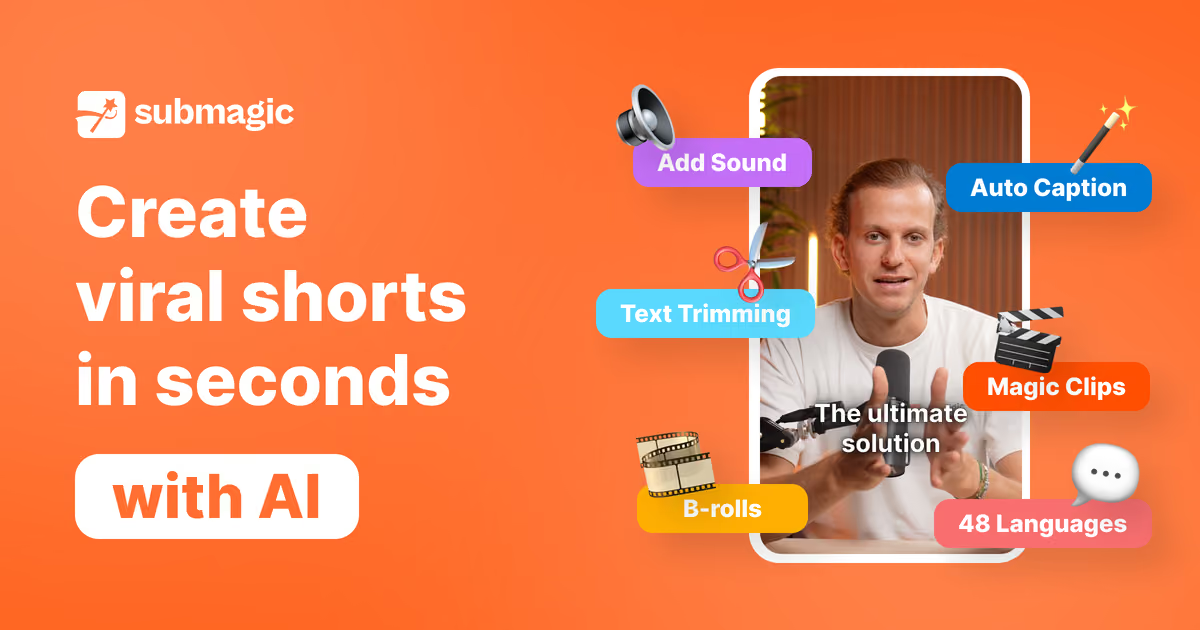
Submagic is a short-form finishing tool, and it is good value only when you count videos, not features. The real price is cost per finished short, and that number falls by more than half between monthly Starter and yearly Pro.
The pricing page prints every input you need for that sum, which is rare in this category.
This review prices each plan per video, runs three publishing schedules through the credit allowances, and puts the result next to Captions, OpusClip, Descript and Klap.
If you are still choosing a category, our best AI video clipping tools ranking covers long-to-short clippers and the best AI subtitle generators guide covers caption-first tools like this one.
Toolradar data: of the 170 video editing tools Toolradar evaluated as of November 2026, the median cheapest paid plan among its top 10 picks is $19 a month, so Submagic's monthly entry price sits exactly at the category midpoint, while its yearly price undercuts it.
What is Submagic?
Submagic is a web-based AI editor built for vertical video: TikTok, Instagram Reels, YouTube Shorts and LinkedIn clips. You upload a recording, and it writes animated captions, adds zooms, B-roll, sound effects and music, removes silences and bad takes, and suggests a hook title.
The vendor says captions work in more than 120 languages. The French company also sells an API and an MCP server for automated editing pipelines.
The second product inside it is Magic Clips, which takes a long video or a YouTube link and returns a batch of short clips with captions applied. That puts Submagic in partial overlap with OpusClip.
The two jobs draw on one credit pool: the pricing page says credits are consumed by premium features such as captions, B-roll and Magic Clips, and that extra packs can be bought at any time. A creator who both clips podcasts and polishes standalone shorts spends one allowance on both.
How Submagic works
You upload a video or paste a link, pick a caption template, and Submagic transcribes the speech, styles the words and drops in emoji and highlights. From the editor you trim by editing the transcript, add B-roll from the library, apply auto-zoom, and clean the audio on paid tiers above Starter.
Export lands as an MP4 without watermark on every paid plan, and Pro and Business can publish straight to connected social accounts with view analytics.
The meter is the part to understand before buying. Each plan prints a credit count and a video count side by side: 45 credits for 15 videos on Starter, 120 for 40 on Pro and 300 for 100 on Business, which by our division means 3 credits buy one video on every tier.
The length cap per video is the real tier gate: 2 minutes on Starter, 5 on Pro and 30 on Business, so a 3-minute explainer pushes you out of Starter whatever your volume.
Automation is the optional layer for teams running pipelines. The API includes 10 minutes a month on Starter and Pro and 100 on Business, with add-on packs from $57 a month for 250 minutes down to $0.10 a minute at 5,000 minutes.
Magic Clips created through the API spend regular Magic Clips credits, one per project, according to the vendor's API documentation.
Submagic key features
Submagic pricing
Submagic sells three self-serve plans and a custom plan, all priced per member, on the Submagic pricing page, read on November 4, 2026. A toggle switches between monthly and yearly billing, and the page advertises up to 41 percent off for yearly.
There is a free trial with no credit card required; the vendor lists no permanent free plan.
Cost per video, our arithmetic from the printed prices: Starter works out to $1.27 per video on monthly billing and $0.80 on yearly. Pro is about $0.98 monthly and $0.58 yearly. Business is $0.69 monthly and $0.41 yearly.
Twelve months of yearly billing comes to $144 for Starter, $276 for Pro and $492 for Business per member, which matches the savings of $84, $192 and $336 the page prints.
Three schedules show which plan fits. A coach posting three 90-second reels a week makes about 13 videos a month and fits Starter. A creator posting 10 shorts a week of up to 4 minutes needs about 43 videos, just over Pro's 40, so either buy a credit pack or cut one short a month.
An agency finishing 80 client clips a month, some longer than 5 minutes, needs Business, where the per-video cost is the lowest on the page.
Against the field, each rival meters something different, so compare on your own volume rather than on the sticker price.
OpusClip charges by upload minute: Pro is $29 monthly or $174 a year for 300 minutes a month on its pricing page, and its plans and credits article defines a credit as a processing minute.
Four one-hour episodes clipped into 40 shorts would cost about $0.36 per short on yearly Pro, our arithmetic. Captions sells AI credits: Max is $24.99 a month for 500 credits, with Frontier tiers above, on its pricing page, which notes the prices are its iOS plans.
Descript Hobbyist is $16 a month billed yearly for 10 media hours on its pricing page, and Klap Basic is $14.50 a month billed yearly for 100 clips on its pricing page. All were read on November 4, 2026.
| Plan | Price | Best for |
|---|---|---|
| Submagic Starter | $19/mo monthly, $12/mo yearly | 45 credits for 15 videos, 2-minute cap, free B-roll and audio, 1080p at 30 fps, no watermark |
| Submagic Pro | $39/mo monthly, $23/mo yearly | 120 credits for 40 videos, 5-minute cap, Storyblocks B-roll, auto-zoom, clean audio, social publishing |
| Submagic Business | $69/mo monthly, $41/mo yearly | 300 credits for 100 videos, 30-minute cap, 4K at 60 fps, 3 profiles per platform, priority rendering |
| Submagic Custom | Contact sales | Custom video and member limits, Magic Clips limits, SSO, dedicated customer success |
| Submagic API minutes | From $57/mo for 250 minutes | Add-on packs on top of a plan, down to $0.10 a minute at 5,000 minutes |
| OpusClip Free | $0 | 60 processing minutes a month, watermark, no editor, 3-day export window |
| OpusClip Starter | $15/mo, monthly only | 150 processing minutes a month, virality score, 1 brand template |
| OpusClip Pro | $29/mo monthly, $174/yr yearly | 300 minutes a month, 2-month rollover, 2 seats, AI B-roll, scheduler |
| Captions Max | $24.99/mo (iOS) | 500 AI credits a month, AI Edit styles, AI actors, long-video clipping |
| Captions Frontier | $69.99/mo (iOS) | 1,400 AI credits a month and the top tier of generative models; 2x and 4x tiers above |
| Descript Hobbyist | $16/mo yearly, $24 monthly | 10 media hours, 400 AI credits, 1080p without watermark |
| Descript Creator | $24/mo yearly, $35 monthly | 30 media hours, 800 AI credits, 4K export |
| Klap Basic | $14.50/mo billed yearly | 100 clips a month, unlimited social accounts, analytics |
| Klap Pro | $39.50/mo billed yearly | 300 clips a month |
Submagic pros and cons
What we like
- Every plan prints both credits and a video count, so the cost per short is easy to work out before you pay.
- Yearly Pro costs $4 a month more than monthly Starter but covers 40 videos of up to 5 minutes instead of 15.
- Pro adds Storyblocks B-roll, auto-zoom, silence and bad-take removal, clean audio and direct social publishing.
What could be better
- Starter caps each video at 2 minutes and Pro at 5, so longer explainers force a jump to Business.
- Magic Clips and captioning share one credit pool, so clipping long videos eats the editing allowance.
- No permanent free plan, only a trial, and every price is per member, so a 3-person team pays three times.
Who Submagic is for
Buy Submagic if you record short, talk-to-camera videos and your bottleneck is the edit, not the idea. Coaches, founders posting on LinkedIn, real estate agents and UGC creators are the fit, because their clips are already under 5 minutes and Pro's 40-video allowance covers a daily posting habit.
Yearly Pro is the sweet spot: for $4 a month more than monthly Starter it covers 40 videos instead of 15 and adds the audio cleanup and B-roll that make a clip look produced.
Skip it if most of your raw material is long. A weekly podcast or webinar is cheaper to clip on a minute meter, which our OpusClip review and the OpusClip pricing breakdown work through.
If you want avatars, AI actors and generated footage from a phone, read the Captions review and its credit math. And if you edit the full episode as well as the shorts, the Descript review covers a text-based editor that does both.
Creators on a tight budget should also read our CapCut review.
Best Submagic alternatives
If Submagic is not the right fit, these are the closest options.
| Tool | Best for | Starts at | |
|---|---|---|---|
| Submagic | Creators and small teams who film short talking-head clips and want captions, B-roll and cuts done fast. | From $12/mo per member billed yearly (Starter, 15 videos) | Visit → |
| OpusClip | Podcasters and webinar hosts turning hour-long recordings into many shorts. | Free plan with 60 minutes a month | Visit → |
| Captions | Mobile-first creators who want AI avatars, generated B-roll and editing on a phone. | From $24.99/mo (Max, 500 AI credits) | Visit → |
| Descript | Creators who edit the full episode and want shorts from the same project. | From $16/mo billed yearly (Hobbyist, 10 media hours, $24 monthly) | Visit → |
| Klap | Creators who want to pay per generated clip and post to many accounts. | From $14.50/mo billed yearly (Basic, 100 clips) | Visit → |


The bottom line
Submagic is a sound buy for one job: turning short recordings into captioned, B-rolled shorts at a known price per video. Buy Pro on yearly billing unless every clip you make is under 2 minutes and you post fewer than 15 a month, in which case yearly Starter is enough.
Monthly Starter is the worst value on the page per video, and Business only pays off for teams with long clips or agency volume.
If your source is long, choose OpusClip, whose minute meter makes many shorts from one episode cheap.
Choose Captions for avatars and generated footage on a phone, Descript if you edit the whole episode too, and Klap for per-clip billing.
Submagic's own listing is on Toolradar, and our best AI video editors and best AI tools for video creators guides cover the wider field.
Methodology: we read the Submagic pricing page and API documentation, and the pricing pages of OpusClip, Captions, Descript and Klap, on November 4, 2026, and computed every per-video and per-minute figure from the printed prices and allowances.
We run no test lab, so this page carries no hands-on timings or caption accuracy scores. Cite this: AIpresso, "Submagic Review 2026", November 2026.
Frequently asked questions
Is Submagic worth it in 2026?
How much does Submagic cost?
What is a Submagic credit?
Does Submagic have a free plan?
Submagic vs OpusClip: which is cheaper?
Submagic vs Captions: which should I pick?
Some offers on this page may be paid placements or contain affiliate links.
Get the AIpresso brief
Free daily newsletter, read in 5 minutes.
Subscribe free