
Wordtune Review 2026: Pricing, Pros, Cons and Alternatives
What each Wordtune plan costs on monthly and yearly billing, what the daily caps allow, how the 2024 repricing changed the deal, and four alternatives.

Wordtune is worth it for a non-native English writer who rewrites emails and documents every day, on yearly billing: Unlimited costs $9.99 a month billed annually and removes every cap. Advanced costs $6.99 a month billed annually for 30 rewrites a day. Billed monthly, the same plans cost $13.99 and $19.99, twice as much.
The catches: the 3-day trial needs payment details, Wordtune gives no refunds, and the free Basic plan stops at 10 rewrites a day and 3 summaries a month. If you want a grammar checker first and rewrites second, Grammarly or ProWritingAid fit better; if you already pay for a general chatbot, it can rewrite text too.
Key factsBest for: Non-native English writers and heavy emailers who want…
- AI21 Labs' rewrite assistant with tone and length controls, translation into English and capped free use.
- Free plan: 10 rewrites a day and 3 summaries a month
- Yearly billing: Half the monthly-billing price on both paid plans
- Trial and refunds: 3-day trial with payment details; no refunds
- Academic discount: 30% off for students, educators and non-profits
Pros
- Yearly billing halves the price of both paid plans.
- Translates text from 10 languages into English before rewriting it.
- Free plan includes unlimited spelling and grammar checks.
Cons
- No refunds; the 3-day trial needs payment details and bills when it ends.
- Advanced caps summaries at 15 a month, down from 5 a day on the plan it replaced in 2024.
- Spices works only in Google Docs and the Wordtune editor.
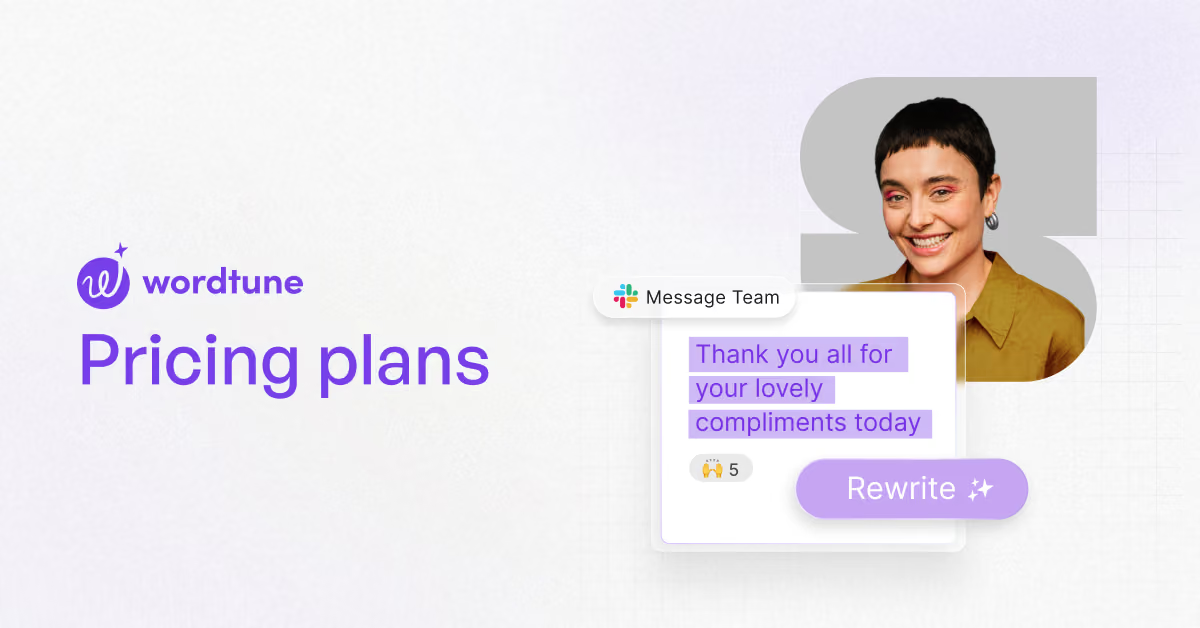
Wordtune is an AI rewriting assistant from AI21 Labs: highlight a sentence, and it offers alternative phrasings, shorter or longer versions, or a more casual or formal tone. The buying question is less about quality than about caps and billing, because the free plan runs out fast and the monthly price is double the yearly one.
This review is for students, support agents and non-native English professionals deciding whether to pay, and which plan to pick.
Toolradar data: Toolradar, the software directory we run, tracks 145 AI writing tools as of November 4, 2026, and the median cheapest paid plan among the 64 that publish a price is $20 a month. Wordtune's entry plan on yearly billing sits at roughly a third of that median.
Toolradar keeps profiles for Wordtune, Grammarly and ProWritingAid.
Methodology: on November 4, 2026 we read Wordtune's plans page and FAQ, two archived copies of its own plans page from 2024, and the pricing pages of Grammarly, ProWritingAid and Claude.
We quote only what those pages print, label every total as our arithmetic, and did not use the product hands-on.
What is Wordtune?
Wordtune is a rewrite-first writing assistant, not a full grammar suite. Its core move is the rewrite: you select text and pick from suggested versions, with tone (casual or formal) and length (shorten or expand) controls on paid plans.
Around that it adds summaries of text and video, an AI writing tool, a grammar and spelling checker and a humanizer for AI-written drafts.
It runs as a Chrome and Edge extension, an iOS app and a web editor. Wordtune's FAQ says it can take text in 10 languages, including Spanish, Mandarin, Hindi and French, translate it into English and then polish the English, which is why it appeals to non-native writers more than to copy editors.
How Wordtune works
You install the extension or open the web editor, highlight a sentence and click the Wordtune icon to see rewrites. Paid plans add the tone and length controls, and the FAQ notes that premium users can rewrite whole paragraphs at once.
The Spices feature, which can add suggestions such as a specific fact with a link to its source, works only in Google Docs and the Wordtune editor, not in the browser extension.
Usage is metered by plan: Basic allows 10 rewrites and AI suggestions a day and 3 AI summaries a month; Advanced raises that to 30 a day and 15 a month; Unlimited removes both caps and adds vocabulary, clarity and fluency suggestions plus premium support.
For a heavy user the daily cap matters more than the feature list: one long email can use several rewrites.
Wordtune key features
Wordtune pricing
Wordtune lists three plans on its plans page, as read on November 4, 2026. Basic is free, Advanced costs $6.99 a month billed annually or $13.99 billed monthly, and Unlimited costs $9.99 a month billed annually or $19.99 billed monthly. Yearly billing halves the price, which the page shows as a 50% saving. Students, educators with a .edu address and non-profit staff get 30% off either billing cycle after applying through support.
| Plan | Daily rewrites | One year, billed annually | One year, billed monthly | Annual with 30% academic discount |
|---|---|---|---|---|
| Basic | 10 | $0 | $0 | $0 |
| Advanced | 30 | $83.88 | $167.88 | $58.72 |
| Unlimited | No cap | $119.88 | $239.88 | $83.92 |
The cheapest unlimited setup is Unlimited on yearly billing. It costs $36 a year more than Advanced (our arithmetic) and removes both the 30-a-day rewrite cap and the 15-a-month summary cap. Anyone who hits the Advanced cap more than a few days a month should skip straight to it. Monthly billing only makes sense for a single busy month, such as a thesis deadline.
Wordtune cut prices in 2024, and cut quotas with them. Its own plans page, archived on April 2, 2024, sold Plus on yearly billing for the price Unlimited costs today, or $24.99 billed monthly, and Unlimited at $14.99 yearly or $37.50 monthly. By the May 25, 2024 copy, Plus had become Advanced at today's prices. The trade: Plus allowed 5 summaries a day, Advanced allows 15 a month. Prices have not moved since, so a buyer today pays less per month than in early 2024 but gets fewer summaries on the middle plan.
Two terms matter before you start the trial. The 3-day free trial asks for payment details and bills when it ends unless you cancel, and Wordtune's FAQ says it does not offer refunds: you can only downgrade before the next billing date. Wordtune accepts cards, Apple Pay, Google Pay and PayPal.
| Plan | Price | Best for |
|---|---|---|
| Wordtune Basic | Free | 10 rewrites a day, 3 summaries a month, unlimited grammar checks |
| Wordtune Advanced | $6.99/mo yearly, $13.99 monthly | 30 rewrites a day, 15 summaries a month, AI recommendations |
| Wordtune Unlimited | $9.99/mo yearly, $19.99 monthly | No caps, plus vocabulary, clarity and fluency suggestions and premium support |
| Grammarly Pro | Check Grammarly's site | Full-sentence rewrites, tone, plagiarism checks, 2,000 AI prompts a month |
| ProWritingAid Premium | $10/mo billed yearly ($120/yr) | Unlimited rephrases, 25+ reports, one chapter critique a day |
| Claude Pro | $17/mo yearly, $20 monthly | General assistant for rewriting, drafting and analysis |
Wordtune pros and cons
What we like
- Yearly billing halves the price of both paid plans.
- Translates text from 10 languages into English before rewriting it.
- Free plan includes unlimited spelling and grammar checks.
What could be better
- No refunds; the 3-day trial needs payment details and bills when it ends.
- Advanced caps summaries at 15 a month, down from 5 a day on the plan it replaced in 2024.
- Spices works only in Google Docs and the Wordtune editor.
Who Wordtune is for
Wordtune fits non-native English speakers and people who write many short messages, such as support agents, recruiters and students. They get the most from instant rewrites and the translate-then-polish step, and Unlimited on yearly billing keeps the cost per month low.
It also fits occasional users on the free plan. Ten rewrites a day covers a few important emails, with unlimited spelling and grammar checks on top, so a light user may never need to pay.
Skip Wordtune if you need a full editing suite, team admin or long-form critique. Its plans page lists no team plan with SSO or central billing, and it does not offer the style reports a novelist or editor wants. Grammarly suits teams, ProWritingAid suits fiction writers, and our QuillBot review covers the closest paraphraser rival. For a wider shortlist, see best AI writing tools.
Best Wordtune alternatives
If Wordtune is not the right fit, these are the closest options.
| Tool | Best for | Starts at | |
|---|---|---|---|
| Wordtune | Non-native English writers and heavy emailers who want quick rewrites in the browser. | Free plan | Visit → |
| Grammarly | Writers and teams who want grammar, tone and plagiarism checks plus rewrites in one tool. | Free plan with 100 AI prompts a month | Visit → |
| ProWritingAid | Fiction and long-form writers who want style reports and chapter critiques alongside rephrasing. | Free plan with 10 rephrases a day | Visit → |
| Claude | People who want rewriting plus drafting, research and analysis in one general assistant. | Free plan | Visit → |


The bottom line
Wordtune is worth paying for if rewriting is a daily task and you buy a year at a time. Unlimited on yearly billing is the plan most regular users should pick, because Advanced's caps are easy to hit and monthly billing doubles the cost. Light users can stay on the free plan without losing the core rewrite button. Before starting the trial, set a reminder: there are no refunds once it converts.
If you are still choosing, compare QuillBot pricing and Grammarly vs QuillBot, read our Grammarly review, or check free AI writing tools and AI humanizers. For the general-assistant route, see Claude pricing, and Toolradar's QuillBot vs Wordtune comparison covers the head-to-head. Prices verified on vendor pages on November 4, 2026.
Cite this: AIpresso, "Wordtune Review 2026: Pricing, Pros, Cons and Alternatives", November 2026.
Frequently asked questions
Is Wordtune worth it in 2026?
How much does Wordtune cost?
Is Wordtune free?
Does Wordtune offer refunds?
Did Wordtune change its prices?
What are the best Wordtune alternatives?
Sources
Prices and plan details come from each vendor's own pricing page, re-checked by the Toolradar pricing tracker.
- Grammarly pricingchecked Sep 2026
- Claude pricingchecked Sep 2026
Some offers on this page may be paid placements or contain affiliate links.
Get the AIpresso brief
Free daily newsletter, read in 5 minutes.
Subscribe free