
Recraft Review 2026: Pricing, Pros, Cons and Alternatives
What each Recraft plan costs, how many SVGs and images its credits buy, and how it stacks up against Ideogram and Midjourney.

Recraft is worth paying for if you need editable SVG files, not only pictures. Basic costs $10 a month billed annually ($120 a year) or $12 billed monthly for 1,000 credits, read on Recraft's pricing page and plan docs on November 4, 2026. On our arithmetic, that buys 250 SVGs a month on its V4.1 Vector model or 500 on V3 Vector. The free plan is a test drive only: Recraft owns what you make there, the images are public and commercial use is not allowed. If your images carry words rather than vector shapes, compare Ideogram; for pure look and mood, compare Midjourney.
Key factsBest for: Designers and brand teams who need logos, icons and…
- An AI design canvas that generates real vectors, edits their points and curves, and exports SVG or PDF.
- Cost per credit: One cent on Basic yearly or top-ups
- Basic credits: 1,000 credits a month
- SVGs on Basic: About 250 V4.1 Vector images a month
- Alternatives covered: Ideogram, Adobe Firefly, Midjourney, Leonardo AI
Pros
- Generates SVG directly, with V3 Vector at 2 credits, so Basic covers about 500 vector images a month.
- Vector Editor edits points, tangents and fills on the canvas, then exports SVG, PDF or Lottie.
- Paid plans grant full ownership and commercial rights, kept after you cancel.
Cons
- Free-plan images belong to Recraft, are public and cannot be used commercially.
- Partner models cost far more credits: Nano Banana Pro 4K takes 63 per image.
- Refunds are discretionary and limited to accounts that used under 30 credits or none since the last payment.
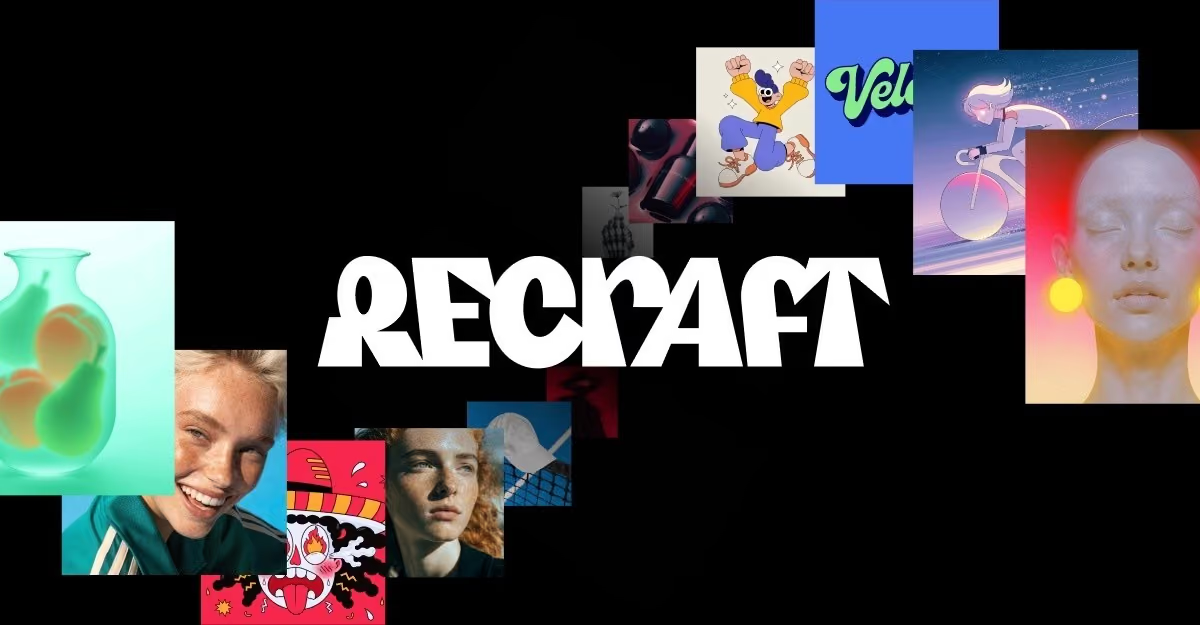
Recraft is the AI image tool that treats vector graphics as a first-class output. Most generators hand you a flat PNG that you then trace by hand or run through a converter. Recraft generates SVG directly, lets you edit every point and curve on its canvas, and exports SVG or PDF. That one difference decides whether it belongs on a designer's shortlist.
This review is for people deciding whether to pay for it. It covers the price of every plan, what the credits buy in vector and raster output, who owns the images on each plan, and where the product falls short on its own documentation.
We close with four alternatives. We do not grade image quality, because that verdict depends on your prompts and your brand, and Dupple runs no image lab.
What is Recraft?
Recraft is a browser-based AI design tool for generating and editing raster images, vector graphics, mockups and short videos on one infinite canvas. It runs its own model family (Recraft V2, V3, V4 and V4.1) and, on paid plans, partner models such as Nano Banana, Seedream, GPT Image, Flux and Ideogram V3.
Toolradar data: Toolradar, the software directory we run, tracks 184 AI image generation tools as of November 4, 2026, and the median cheapest paid plan among the 54 that publish one is $14.50 a month. Recraft's monthly Basic price sits below that median, so its vector output does not cost more than a typical entry plan in that set.
The vector focus is the reason to look at it. Its credit docs say vector generation and the Vector Editor are included on every plan, Free included. A tool that only makes attractive photographs has no reason to ship a point-and-curve editor.
How Recraft works
You type a prompt in Create mode, choose Image or Vector as the generation type, pick a model and a style, and the results land on a canvas. Vector is its own generation type, separate from Image, and reference images are not available when you generate vectors. Plan for that limit if you want to steer an icon set from an existing picture.
From there the canvas does the editing. Double-click any vector to split it into shapes, then move points, add tangents, recolor fills and reorder layers. A raster image can be vectorized for 1 credit, with a color reduction slider to simplify it before export.
Recraft's own docs warn that photoreal images, 3D renders and heavy textures may produce artifacts when converted, so vectorizing a photo is not a shortcut to a clean logo.
Text works two ways. You can put the exact words in quotation marks inside the prompt, which the docs say increases accuracy, or you can set type manually with Google Fonts on the canvas. For logos and labels the manual route gives you exact spelling every time, at the cost of designing the lettering yourself.
Styles are the other lever. With V4 Styles you upload up to 10 reference images, set the type to raster or vector, and every later generation holds that look. This is how a team keeps an icon set or a campaign consistent without retyping style instructions.
Export covers PNG, JPG, TIFF, PDF, SVG and Lottie, and a frame exports as vector only when every element inside it is a vector.
Recraft key features
Recraft pricing
Recraft's pricing page and its paid plans doc, both read on November 4, 2026, list four tiers. Free is $0 with limited credits that reset daily.
Basic is $10 a month billed annually or $12 billed monthly, for 1,000 credits a month. Pro starts at $16 a month billed annually ($192 a year) or $20 monthly for 2,000 credits, and scales to 4,000, 8,000 or 16,000 credits; the 16,000-credit tier is $128 a month billed annually.
Teams starts at $18 per seat a month billed annually, which the card prints as $211 a year per seat, or $22 monthly, with 2,000 credits per seat. Prices exclude VAT.
Credit math is where Recraft gets specific. The credits doc prices each model per image: Recraft V4.1 raster costs 2 credits, V4.1 Vector 4, V4.1 Pro Vector 12, and V3 or V2 Vector 2.
On our arithmetic, Basic's monthly allowance therefore buys 500 V4.1 raster images, 250 V4.1 vector SVGs or 83 Pro vector SVGs, and the entry Pro tier doubles each figure. The model you pick moves your real cost more than the plan does, so price your usual mix before choosing a tier.
Per credit, annual Basic works out to one cent and annual Pro to 0.8 cents, our arithmetic from the printed annual charges. Top-ups cost $2 per 200 credits, also one cent each, never expire and are sold only on paid plans.
So a V4.1 SVG costs about 4 cents of credit on Basic, against $0.08 per vector image on the API price list.
Partner models change the sum: Ideogram V3 Default costs 11 credits inside Recraft, per its external models table, so Basic covers about 90 of those a month.
Two terms matter before you pay. Monthly credits do not roll over. Refunds are at Recraft's discretion, only within 30 days of the latest payment and only if you used no credits since then or fewer than 30 credits in total.
If you want the Ideogram side in the same detail, our Ideogram pricing guide lays out its credit plans.
| Plan | Price | Best for |
|---|---|---|
| Free | $0 | Limited daily credits, 2 images per generation, Recraft models only; images public and non-commercial |
| Basic | $12/mo or $10/mo billed annually ($120 a year) | 1,000 credits a month, partner models, commercial rights, private generation, up to 5 parallel jobs |
| Pro (2,000 credits) | $20/mo or $16/mo billed annually ($192 a year) | Everything in Basic plus video generation, priority image queue and up to 10 parallel jobs |
| Pro (4,000 / 8,000 / 16,000 credits) | $40, $80 or $160/mo; $32, $64 or $128/mo billed annually | Same Pro features with a larger monthly credit allowance |
| Teams | $22/seat/mo or $18/seat/mo billed annually ($211 a year per seat) | 2,000 credits per seat, shared workspace and styles, central billing, SSO, 24/7 support |
| Credit top-up | $2 per 200 credits | Packs of 200 to 1,600 credits for paid plans; never expire, used after monthly credits |
Recraft pros and cons
What we like
- Generates SVG directly, with V3 Vector at 2 credits, so Basic covers about 500 vector images a month.
- Vector Editor edits points, tangents and fills on the canvas, then exports SVG, PDF or Lottie.
- Paid plans grant full ownership and commercial rights, kept after you cancel.
What could be better
- Free-plan images belong to Recraft, are public and cannot be used commercially.
- Partner models cost far more credits: Nano Banana Pro 4K takes 63 per image.
- Refunds are discretionary and limited to accounts that used under 30 credits or none since the last payment.
Who Recraft is for
Recraft fits designers, brand teams and marketers who need logos, icons, illustrations or packaging art as editable vectors. It also suits a solo founder who wants a logo they can recolor and resize without hiring an illustrator for every tweak.
If you are still shortlisting, our AI logo generator guide covers the logo use case, and our best AI image generators list places Recraft among the broader field.
Match the plan to output. Free suits a few personal tests, since everything there is public and owned by Recraft. Basic suits one person making up to a few hundred vectors a month, and it unlocks commercial rights and private generation.
Pro suits heavier volume and adds video generation with Kling, Veo and others. Teams suits two or more people who need shared styles, centralized billing and SSO.
It is a weaker fit in three cases. First, when the words inside a raster picture are the whole job: compare our Ideogram review, since Ideogram's docs are built around text.
Second, when mood and photographic look matter more than editability: read our Midjourney review and the Midjourney vs Ideogram comparison.
Third, if you already pay for Adobe and only need occasional vectors: our Adobe Firefly pricing guide covers that route. Toolradar keeps its own pages for Recraft and Ideogram.
Best Recraft alternatives
If Recraft is not the right fit, these are the closest options.
| Tool | Best for | Starts at | |
|---|---|---|---|
| Recraft | Designers and brand teams who need logos, icons and illustrations as editable SVG files. | Basic $10/mo billed annually or $12 monthly (1,000 credits) | Visit → |
| Ideogram | Marketers whose posters, ads and labels depend on the words inside the image being spelled right. | Plus $15/mo billed yearly or $20 monthly (2,400 credits) | Visit → |
| Adobe Firefly | Teams already working in Illustrator and Photoshop who want vector generation inside Adobe. | Firefly Standard $9.99/mo with 2,000 generative credits | Visit → |
| Midjourney | Creators who care most about the look and mood of a raster image, not editable files. | Check the current price on Midjourney's site before you buy | Visit → |
| Leonardo AI | Makers producing many game or product assets who want model and reference control. | Check the current price on Leonardo AI's site before you buy | Visit → |


The bottom line
Recraft is the pick when the deliverable is an editable vector, and Basic is the sensible entry point. Its monthly allowance covers a few hundred SVGs, and it is the cheapest plan that makes your output private and commercially usable.
Move to Pro only once you outgrow that allowance or need video; the yearly rate then trims the cost per credit to 0.8 cents, which pays off at volume rather than for occasional logos. If you need no budget at all, the free image generator roundup lists options whose free tiers allow more.
Skip it if you only need raster pictures with perfect lettering, or if you will stay on the free plan for client work. Free output is public, owned by Recraft and not licensed for commercial use, and Recraft's ownership terms forbid using any output, on any plan, to train AI models.
For more options in the same field, see our Midjourney alternatives and Leonardo AI review, or the AI image generator statistics for the wider market.
Methodology: this review quotes only figures read on Recraft's pricing page and plan, credit, model, export and ownership docs on November 4, 2026, plus Ideogram's plan table and Adobe's Firefly plans page read the same day, and the Toolradar category count.
Credit-per-image figures are our arithmetic on Recraft's published tables. We ran no image tests. Cite this: AIpresso, 'Recraft Review 2026: Pricing, Pros, Cons and Alternatives', November 2026.
Frequently asked questions
How much does Recraft cost in 2026?
Is Recraft free?
Can Recraft make SVG files?
Recraft vs Ideogram: which should I choose?
Who owns images made with Recraft?
Sources
Prices and plan details come from each vendor's own pricing page, re-checked by the Toolradar pricing tracker.
- Recraft pricingchecked Sep 2026
- Ideogram pricingchecked Sep 2026
- Adobe Firefly pricingchecked Sep 2026
- Midjourney pricingchecked Sep 2026
- Leonardo AI pricingchecked Sep 2026
Some offers on this page may be paid placements or contain affiliate links.
Get the AIpresso brief
Free daily newsletter, read in 5 minutes.
Subscribe free